The Problem
If you have 30+ tabs open, finding the right one is slow. You either scan through tiny favicons or Ctrl+Tab through them one by one. Browser history and bookmarks live behind separate menus. There’s no single, fast way to search across everything and act on it from the keyboard.
What I Built
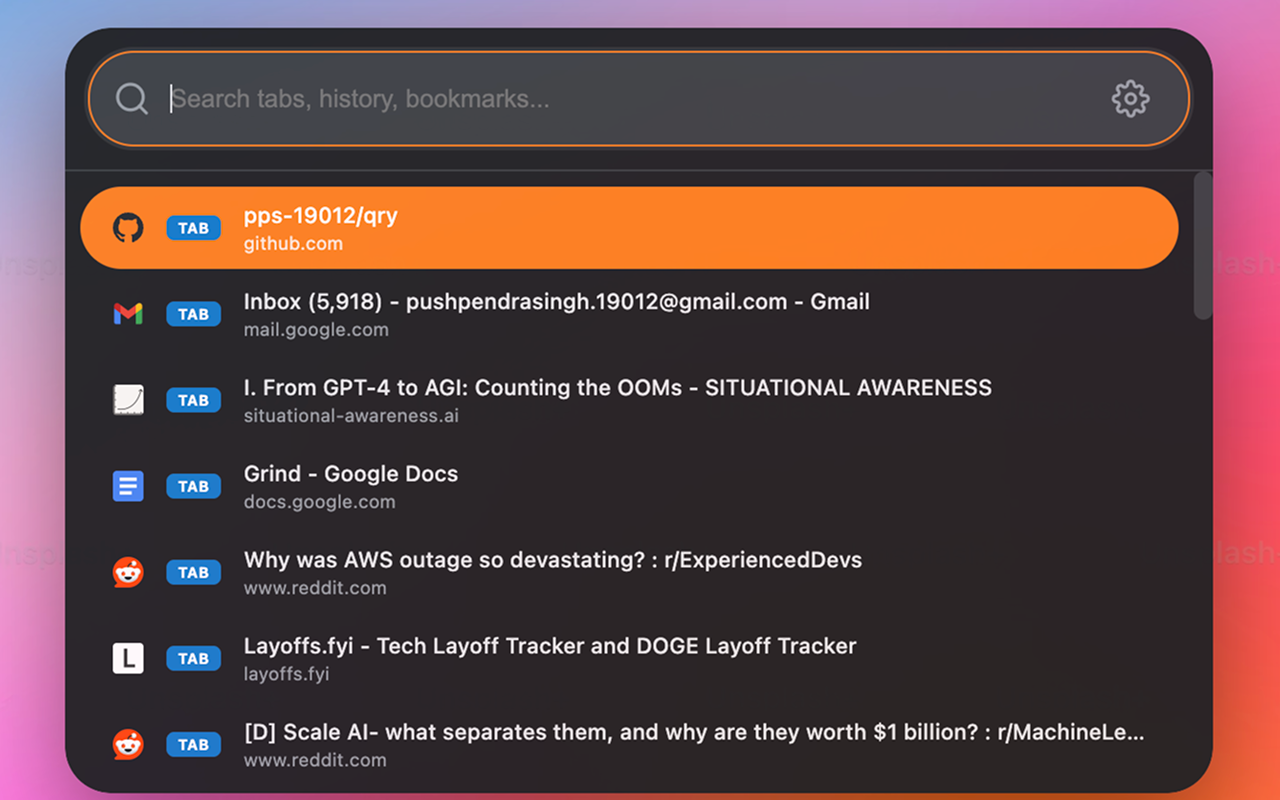
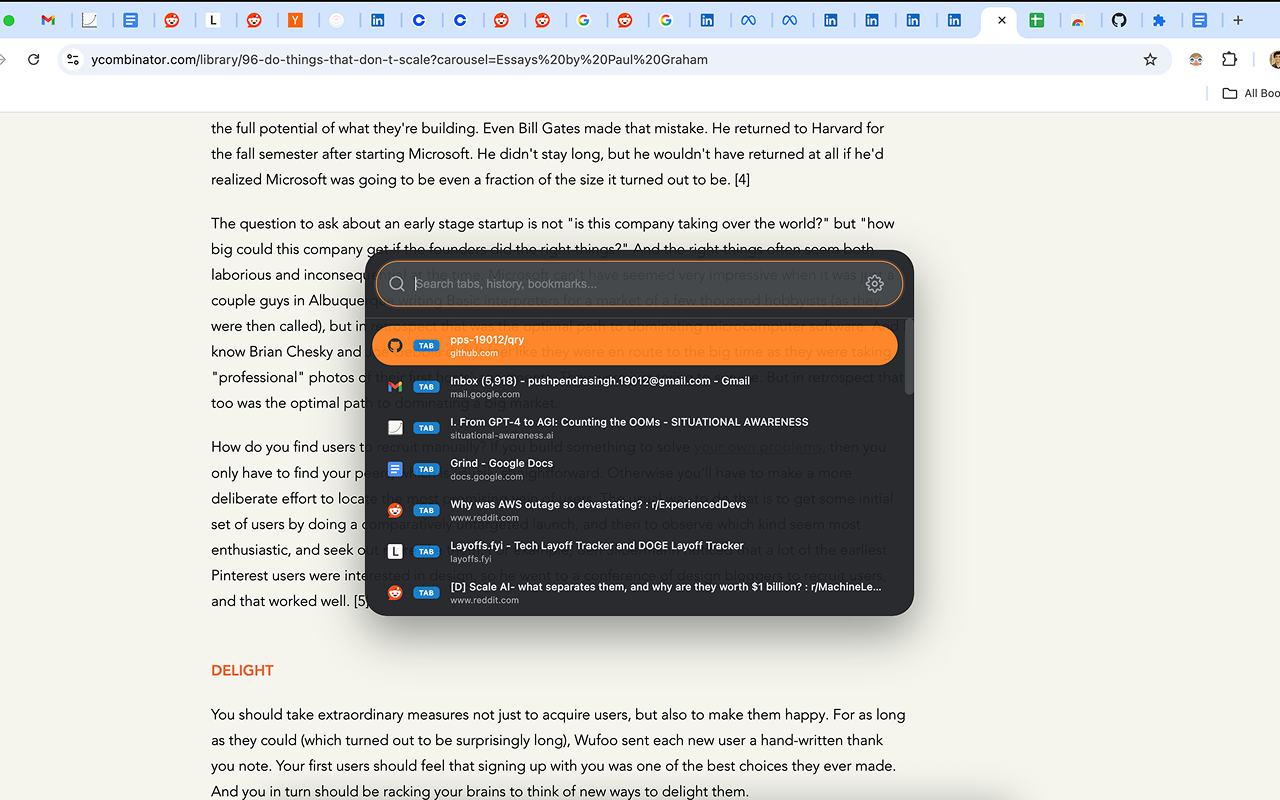
Qry is a Chrome extension that adds a Spotlight/VS Code-style command palette to the browser. Hit Cmd+Shift+Space and a search bar appears over any page. From there you can:
- Search across all open tabs by title or URL and switch instantly
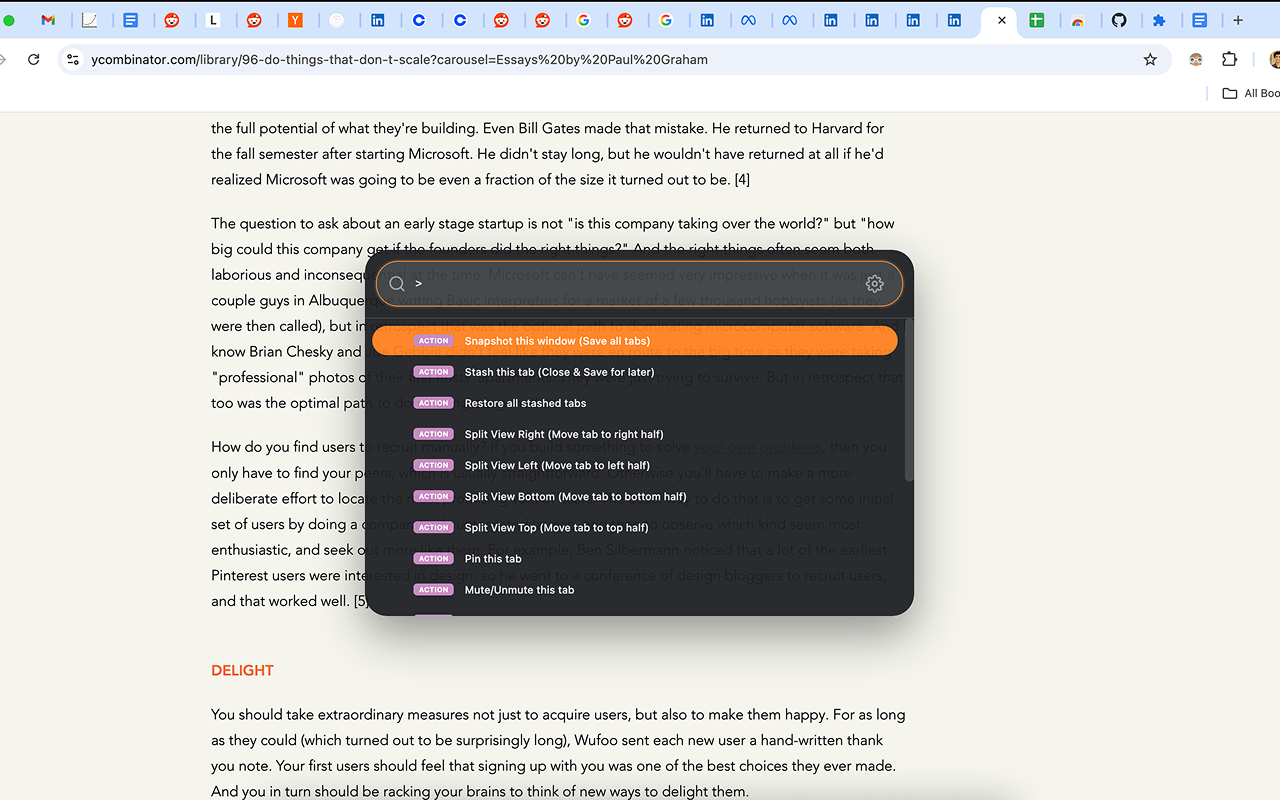
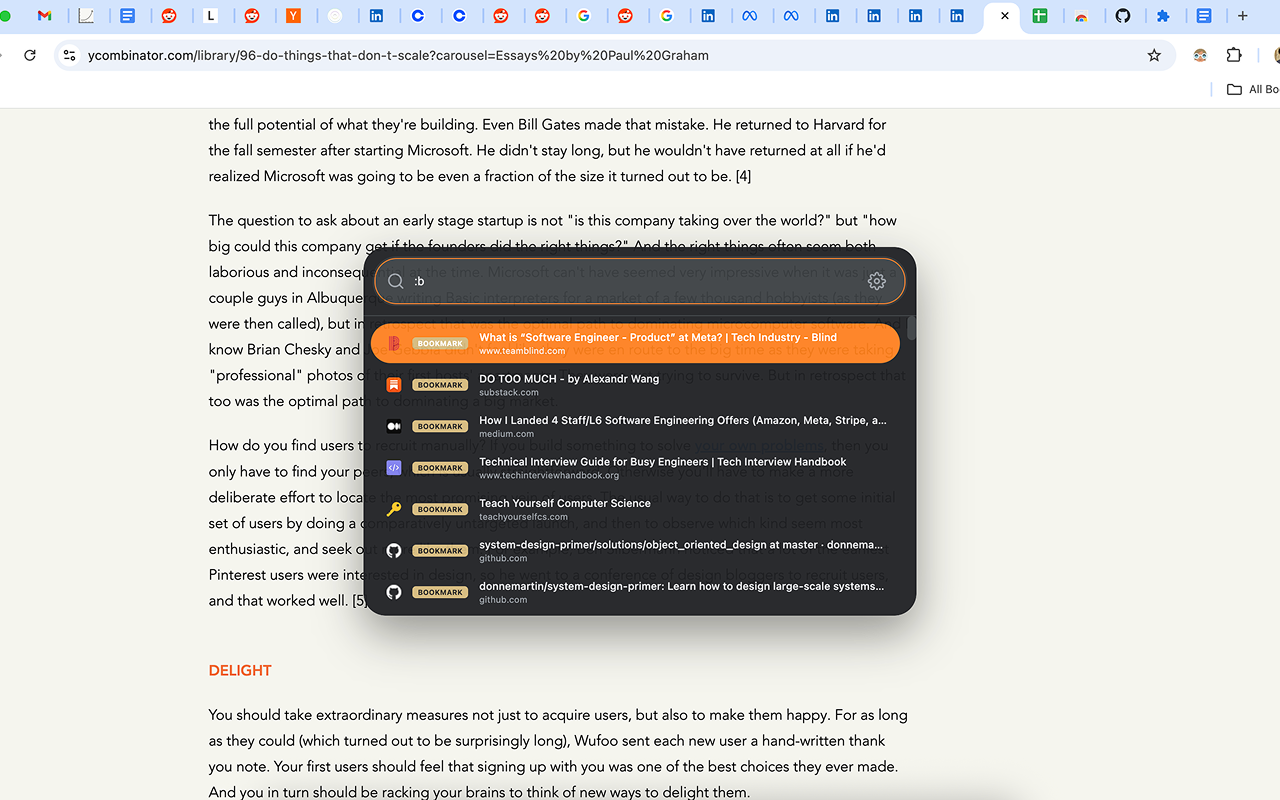
- Search browser history (
:h) and bookmarks (:b) - Run browser actions (
>) — pin/mute tabs, split windows, clear cache - Save workspace snapshots — capture all open tabs and restore them later
- Stash individual tabs — close them now, reopen with a keystroke later
Everything is keyboard-driven. No mouse needed.
How It Works
The extension runs across three isolated contexts that communicate via Chrome’s message passing API:
- Service Worker — The brain. Handles all search logic, executes browser actions (tab switching, window splitting, stash/snapshot management), and tracks tab activation order for MRU ranking.
- Content Script — Injected into every page. Creates an isolated iframe for the palette UI and relays messages between the page and the service worker.
- Palette UI — Runs inside the iframe. Handles rendering search results, keyboard navigation, and the settings panel. Isolated from the host page’s CSS/JS to avoid conflicts.
Key Design Decisions
- Iframe isolation: The palette runs in an iframe rather than being injected directly into the page DOM. This completely avoids CSS conflicts with websites and keeps the UI consistent everywhere.
- Lazy content script injection: Tabs opened before the extension was installed don’t have the content script. Qry detects this and injects it on-demand when you first try to open the palette on that tab.
- MRU tab ordering: The default tab list is sorted by most-recently-used, not tab position. The tab you were just on is always at the top — one keystroke to switch back.
- Fuzzy search: Uses Fuse.js for intelligent matching. Typos and partial queries still find results.
- Zero build tooling: Pure ES6 modules with a single dependency (Fuse.js). No bundler, no compile step — just load and go.
Features
- Prefix-based mode switching —
:hhistory,:bbookmarks,>actions, default is tabs - Split-view window management — snap current tab to left/right/top/bottom half of screen
- Workspace snapshots — save and restore entire sets of tabs
- Tab stashing — close now, restore later
- 6 themes (Chrome Dark/Light, Spotlight, VS Code, Gruvbox, Dracula) with 7 accent colors
- Adjustable opacity and interface scaling
- Full keyboard navigation throughout